
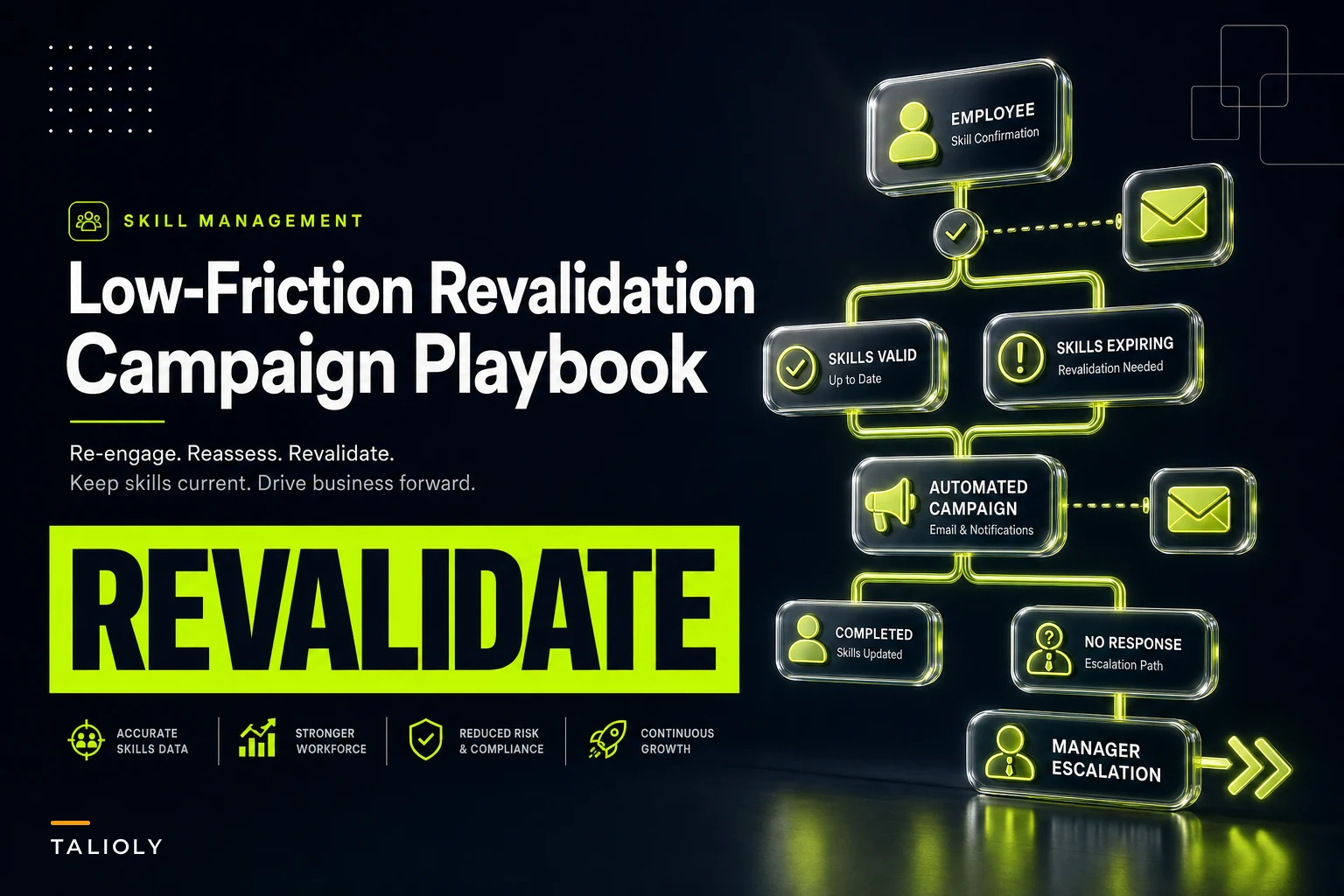

Most revalidation efforts fail in a very specific way: they treat 8,000 people as one giant list, fire off the same email to everyone on the same Monday, and then wonder why compliance stalls at 61% and the service desk lights up with "I already did this in March" tickets.
A skills revalidation campaign isn't a compliance blast. It's an operational program with segments, pacing, quality checks, and a plan for the messy middle where reality doesn't match the spreadsheet. Get the mechanics right and disruption becomes a rounding error. Get them wrong and you've burned manager goodwill for the next three campaigns.
This is about the mechanics — specifically the four levers that decide whether your revalidation lands quietly or becomes the thing everyone complains about in the next engagement survey.
Start with segmentation, because a single deadline is the root cause of most disruption
The instinct is to sort by department. That's the wrong axis. Department tells you nothing about how urgent someone's revalidation is or how much friction it will cause them.
Segment on two things instead: risk of the skill being stale, and cost of re‑validating it. A cloud security engineer whose cert expired 14 months ago is high risk, low friction — they can re‑prove it in an afternoon. A field technician who needs an in‑person practical assessment is low risk but high friction, because you're competing with their actual job for calendar space.
Those two people should never be in the same wave with the same deadline.
Here's a segmentation model that holds up at scale:
| Segment | Staleness signal | Re‑validation cost | Campaign treatment |
|---|---|---|---|
| Fast‑refresh | Recent evidence, minor gap | Low (self‑serve) | Bulk wave, short window, light nudges |
| Practical‑required | Skill needs observed demonstration | High (scheduling) | Early start, manager pre‑booking, longer window |
| Already‑current | Fresh work artifacts on file | None | Auto‑pass, no action, confirmation only |
| Ambiguous / low‑confidence | Conflicting or missing data | Unknown | Manual triage before any nudge goes out |
That last row matters more than people expect. If your skill data is even a little rotten, you'll send revalidation requests to people who are already current and skip people who genuinely lapsed. Worth running a staleness and confidence pass first — the logic in this data‑quality playbook for detecting stale skills and scoring confidence is exactly what stops the ambiguous segment from polluting the whole campaign.
One pattern worth flagging: teams that skip segmentation almost always over‑message. When everyone gets the same nudge cadence, the people who finished on day two keep getting reminders meant for stragglers, and they stop trusting the system entirely.
Stagger the schedule so managers never face a wall of requests
A single deadline creates a spike. Spikes are where disruption lives — the assessment platform slows down, SMEs get 40 approval requests in one afternoon, and managers get a dozen "I can't hit this deadline" messages the same week.
Stop losing track of critical skills.
Talioly helps you track, develop, and certify your workforce efficiently.
- Centralized skill profiles
- Automated training reminders
- Competency gap analysis
No credit card required
Staggering isn't just spreading dates for the sake of it. The goal is to keep any single manager's open‑request count under a threshold at all times. A team lead can absorb maybe 3–5 active revalidations at once before it starts eating into their week. Above that, review quality drops and things get rubber‑stamped.
-
Pull the org into cohorts of roughly 300–500 people, weighted so no single manager has more than ~4 direct reports in any active wave.
-
Launch the already‑current auto‑passes first. These need zero effort and instantly shrink the population you actually have to chase.
-
Release fast‑refresh waves at a steady drip — a new wave every 5–7 business days, not all at once. This keeps assessment infrastructure and SME reviewers below saturation.
-
Front‑load the practical‑required segment, because scheduling is the bottleneck. Give these people a 4–6 week window from day one and let managers pre‑book slots.
-
Hold a buffer wave at the end for exceptions and rollovers, so people who legitimately couldn't complete aren't force‑failed.
The mistake here is treating the campaign end date as the constraint. The real constraint is reviewer and manager throughput at any given moment. A campaign that finishes in nine weeks with zero disruption beats one that finishes in five and torches manager trust.
Automated nudge sequences: fewer, smarter, segment‑aware
Nudges fail in two directions. Too few and completion drifts. Too many and people tune them out — or worse, escalate to their manager to make the emails stop.
What works is a sequence tuned per segment, where the message knows what state the person is in. Someone who hasn't opened the request needs a different nudge than someone who started an assessment and abandoned it halfway.
A workable sequence for a fast‑refresh segment looks like:
-
Day 0 — Launch message. Clear "why," what's required, and the exact time cost ("~20 minutes, due in 10 business days").
-
Day 4 — Soft reminder, only to non‑starters. People mid‑flow get nothing.
-
Day 7 — Reminder with the deadline made concrete, plus a one‑click "I need help / this doesn't apply to me" exception path.
-
Day 9 — Final pre‑deadline nudge to remaining non‑completers, manager CC'd but framed as an FYI, not an escalation.
-
Post‑deadline — Automatic handoff to the exception queue. No shaming, just routing.
The single most important rule: suppress nudges the moment someone completes or opens an exception. The fastest way to lose credibility is to reminder‑bomb someone who already finished. This is where automated sequencing earns its keep — the system watches completion state and quietly stops messaging people who don't need it, which is nearly impossible to do reliably by hand across thousands of records.
One thing worth resisting: the temptation to add "motivational" copy. The nudges that actually convert are the boring, specific ones. Time cost, deadline, one link, one exception path. Every extra sentence lowers completion.
Manager QA SLAs: the step everyone skips and later regrets
Here's the failure mode that shows up months later. The campaign hits 96% completion, everyone celebrates, and then someone audits a sample and finds a third of the "revalidated" skills were approved by managers in under 30 seconds — clearly not reviewed.
Completion isn't the outcome. Trustworthy completion is. And that depends entirely on manager QA holding up under load.
You need SLAs on the review side, not just the employee side:
-
Turnaround SLA managers review submitted evidence within 3 business days. Anything older auto‑escalates.
-
Quality floor a minimum evidence standard per skill, so "looks fine" isn't an acceptable review. Define what a pass actually requires before the campaign starts.
-
Sampling QA a second reviewer spot‑checks ~10% of approvals. If a manager's sampled approvals fail, their whole batch gets re‑reviewed.
-
Fallback reviewer when a manager blows the SLA or is out, the request routes to a peer or designated backup rather than sitting dead.
If sampled approvals flag quality issues, temporarily pause new assignments to that manager and run a quick calibration session.
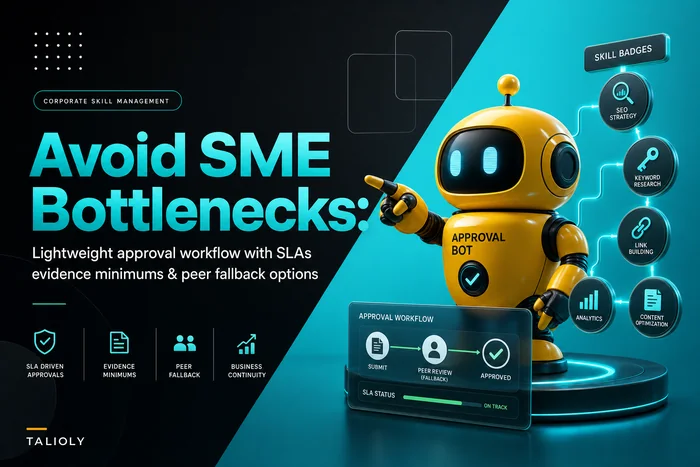
That fallback mechanism is the difference between a campaign that flows and one that jams behind three overloaded managers. The lightweight approval‑workflow approach — SLAs, evidence minimums, and peer fallback — is worth borrowing wholesale here; the same structure that keeps SME approvals from bottlenecking is exactly what keeps manager QA from becoming the hidden chokepoint.
Worth noting: the managers who rubber‑stamp aren't lazy, they're overloaded. Fix the load with segmentation and staggering first, and QA quality rises on its own. If you find yourself needing heavy enforcement, it usually means the schedule dumped too much on too few people.
Exception handling: design for the 15% before the campaign starts
Every large revalidation has a predictable tail of people who don't fit the clean path. On leave. Changed roles. Skill no longer relevant. Genuinely can't schedule the practical. Waiting on a vendor cert.
Treating each of these as a one‑off email thread is where campaigns quietly die — they pile into someone's inbox, get inconsistent answers, and drag the "final 15%" out for months.
Build a small set of exception templates before launch, each with a defined owner and resolution path:
-
Not applicable — role changed or skill deprecated. Route to HRBP for profile update, remove from campaign, no penalty.
-
Deferred — on leave or legitimate capacity crunch. Auto‑reschedule into the buffer wave with a new date.
-
Blocked by dependency — waiting on external cert or vendor. Park with a follow‑up date, don't count as non‑compliant.
-
Disputed requirement — employee believes they shouldn't need this. Route to a named decision‑maker with a 5‑day answer SLA.
-
Failed attempt — completed but didn't meet the floor. Route to development path, not a repeat‑nudge loop.
Each template needs three things nailed down: who owns it, what the resolution looks like, and what it does to the person's compliance status while it's open. Get those defined up front and the exception queue drains steadily instead of becoming a graveyard.
What the exception handling workflow actually looks like in practice
Most teams think about exception handling as a list of rules. It works better as a flow. When someone hits the exception path, the sequence matters as much as the categories.
Here's roughly how it should move:
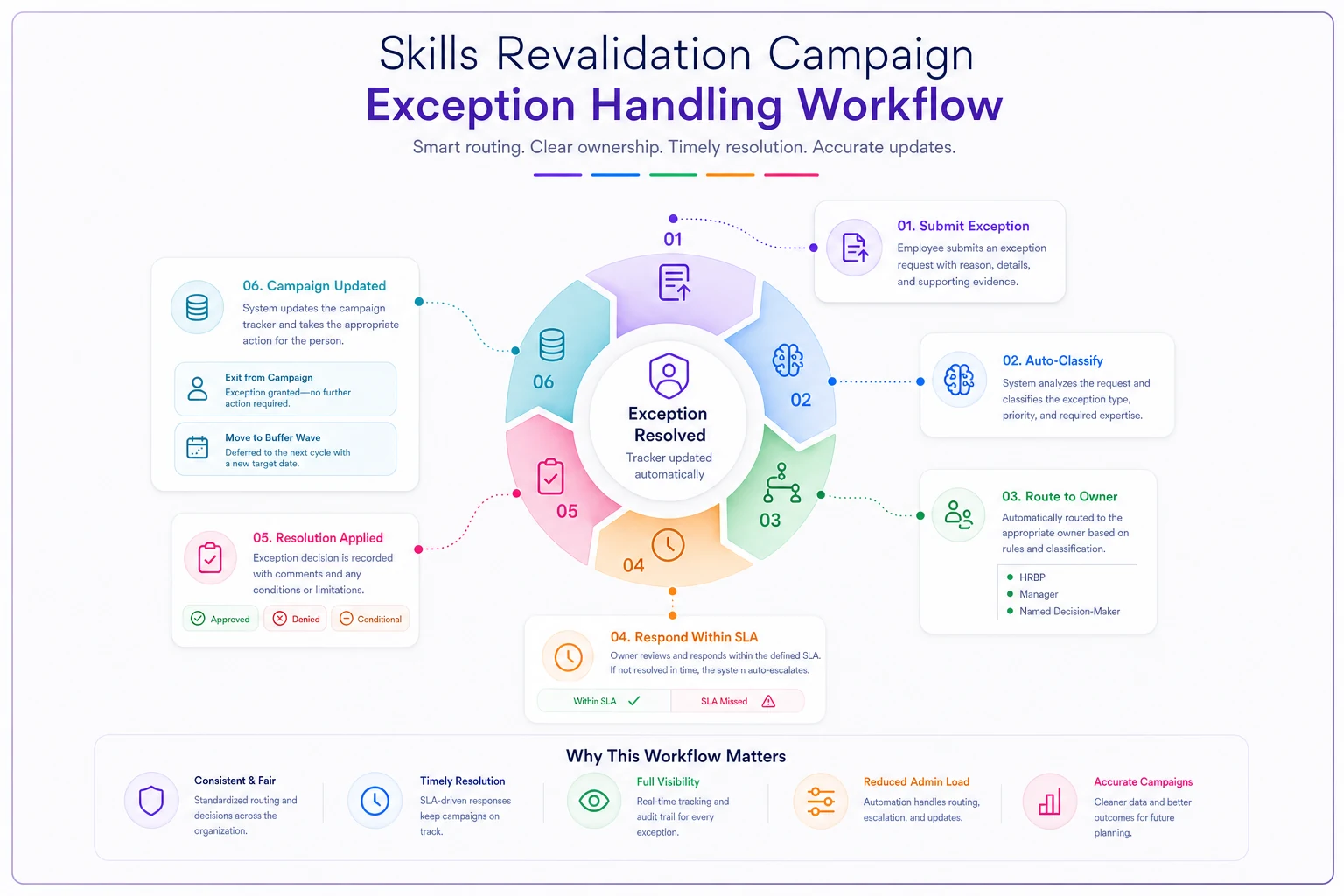
The part that breaks most often is the status update at the end. Exception gets resolved in an email thread, but the campaign tracker never reflects it — so the person keeps getting nudged, the manager gets confused, and someone has to manually patch the record. Automating that final status write‑back is worth doing before launch, not after the complaints start.
A real scenario: what "low‑friction" actually looks like
A regional financial‑services firm — around 4,200 employees across retail branches and a central ops group — needed to revalidate a set of regulatory and product‑knowledge skills after a policy change. Their previous attempt, a single all‑staff deadline, had stalled around 60% completion and generated a wave of complaints about duplicate work.
The second time, they ran it as a segmented, staggered campaign. Roughly 900 people auto‑passed on existing evidence and never got a single nudge. The remaining population went out in waves of about 350, capped so no branch manager had more than four open reviews at once. Practical‑required roles started three weeks early with pre‑booked assessment slots.
Over about ten weeks, completion landed near 94% — and more telling, the exception queue stayed manageable because the templates absorbed the tail instead of individual email threads. Manager complaints dropped to a handful. The ops lead's summary was blunt: the work got done in roughly the same total effort, but it stopped feeling like an interruption. Nobody was reminder‑bombed, and no single manager got buried.
The numbers matter less than the shape of it. Same people, same skills, same requirement — the only thing that changed was sequencing and load management.
When this level of structure is worth it — and when it isn't
Full segmentation, staggered waves, and QA SLAs are overkill for small refreshes. If you're revalidating 150 people on one straightforward skill, just send a clean request with a real deadline and a fallback reviewer. The machinery costs more than the problem.
This approach earns its complexity when you cross a few thresholds at once:
-
Population over ~1,000 across multiple teams or locations.
-
Mixed re‑validation costs — some self‑serve, some requiring scheduled practicals.
-
Managers reviewing across many direct reports, where load spikes cause real disruption.
-
A compliance or audit angle, where "we hit 95%" isn't enough and the quality of approvals gets scrutinized.
One firm that should not do this: teams whose underlying skill data is unreliable. If you can't trust who's actually current versus lapsed, segmentation will just automate the wrong decisions faster. Clean the data first, then run the campaign. A precise revalidation built on rotten inputs is worse than a rough one, because it looks authoritative while quietly mis‑routing thousands of people.
The takeaway
The difference between a revalidation that disrupts everything and one that barely registers isn't tooling or budget — it's whether you managed load at every step. Segment so people only get what applies to them. Stagger so no manager ever faces a wall. Nudge based on real state, and stop the moment someone's done. Put SLAs and fallbacks on the review side so quality survives volume. And design the exception tail before it arrives, not after it's already clogged someone's inbox.
Do those five things and a large skills revalidation campaign stops being an organizational event people dread and becomes what it should be: routine maintenance that happens in the background while everyone keeps doing their actual jobs.
Ready to elevate your team's skills?
Join 500+ companies using Talioly to boost skill visibility, streamline training, and drive performance growth.