

Most vendor training evaluations die in the same place: three weeks after the course ends, someone emails a "how satisfied were you?" survey, 40% of people respond, the average comes back 4.2 out of 5, and that number gets pasted into a slide. Nobody involved actually believes it means the vendor's $180k engagement changed how work gets done.
The gap isn't effort. Measuring vendor training impact requires decisions you have to make before the cohort starts — cohort definition, baseline capture, what you'll hold constant — and most teams only start thinking about measurement after the training is over, when the comparison group is already contaminated and the baseline is gone.
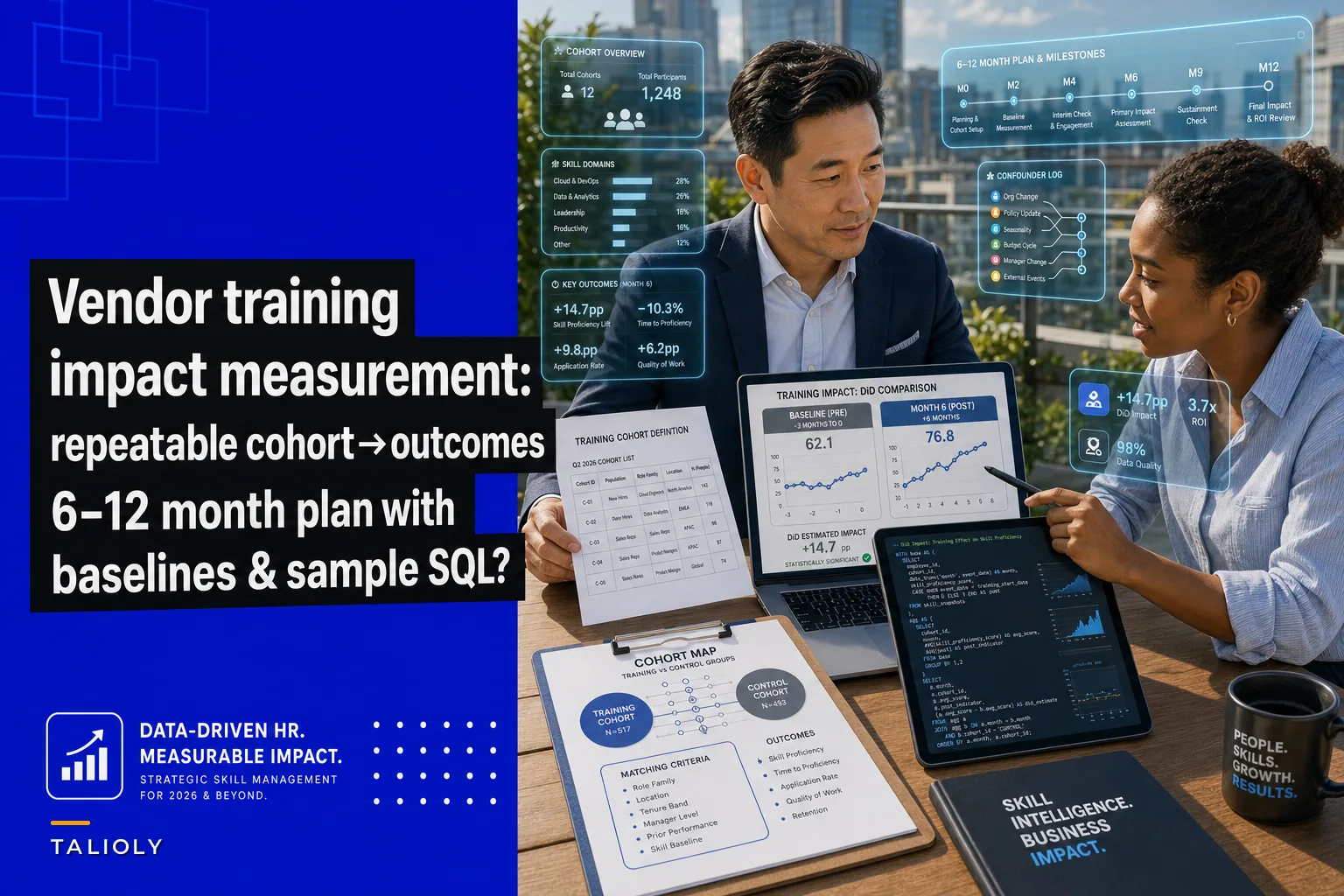
This is a template for doing it in the right order, over a 6–12 month window, with queries HR and procurement can actually run themselves. It assumes you already know the pilot-ROI basics covered in the 6-step upskilling pilot plan — this goes deeper on cohort construction and attribution, which is where vendor evaluations specifically fall apart.
Why vendor training is harder to measure than internal L&D
Internal programs you control end-to-end. Vendor training you don't. That creates three measurement problems specific to buying training from outside:
You don't pick who attends. Vendors often train whoever has budget or whoever a manager volunteered. That means your "trained" group is self-selected — more motivated, more senior, or just the people with slack in their schedule. If those people would have improved anyway, the vendor gets credit for selection, not instruction.
The timing is lumpy. A vendor delivers in a two-week block, then disappears. There's no slow rollout you can stagger across teams. So the clean approach — treat some teams now, others later, compare — requires planning that most procurement cycles don't leave room for.
The vendor has an incentive in your metrics. Satisfaction scores collected by the vendor, on the vendor's form, at the end of the vendor's session, are not evidence. They're marketing. Any real measurement has to come from systems the vendor never touches: your ticketing data, your code repos, your sales records, your quality logs.
Teams that get a credible answer are almost always the ones who locked in the cohort and baseline during the contracting phase, not after kickoff. By the time training is delivered, the window to build a clean comparison has usually already closed.
Step 1: Define the cohort before the vendor signs
The single most useful thing you can do is write down who's in the trained group and who the comparison group is — with names or employee IDs — before the first session.
Stop losing track of critical skills.
Talioly helps you track, develop, and certify your workforce efficiently.
- Centralized skill profiles
- Automated training reminders
- Competency gap analysis
No credit card required
You have three realistic options for a comparison group, in rough order of credibility:
| Comparison design | How it works | When it's usable | Weakness |
|---|---|---|---|
| Staggered rollout | Team A trained in Q1, Team B in Q3; B is the control until they're trained | You can split training across time | Needs vendor flexibility + patience |
| Matched non-trained peers | Build a control group matched on role, tenure, baseline performance | Rollout can't be staggered | Matching is only as good as your data |
| Pre/post same cohort | Compare the same people before vs. after | Everyone gets trained at once | Can't separate training from everything else happening |
The staggered rollout is the gold standard and it's also the one procurement teams forget to ask for. When you're negotiating the statement of work, ask the vendor to deliver in two waves, 8–12 weeks apart. It usually costs nothing and hands you a built-in control group for free. If the vendor refuses, that tells you something too.
When matching peers, match on the baseline version of the outcome itself (e.g., pre-training resolution times), not just title and tenure.
If you're stuck with matched peers, the common mistake is matching on title and tenure and stopping there. You need to match on the baseline version of the outcome itself. If you're measuring ticket resolution time, your control group has to have similar pre-training resolution times. Otherwise you're comparing fast people to slow people and calling it a training effect.
Step 2: Capture the baseline — and capture it for both groups
A baseline is only useful if you have the identical measurement for the people who weren't trained. This step gets skipped most often, because it means pulling data before anything interesting has happened.
Pick 2–3 outcome metrics that sit as close to the business as you can get without being hopelessly noisy. For a vendor course on advanced SQL for a data team, don't measure "SQL confidence." Measure query rework rate, average query runtime, or number of self-served analyses that didn't need a ticket to the central team.
-- Baseline snapshot: 90 days before training start WITH cohort AS ( SELECT employeeid, cohorttype -- 'trained' or 'control' FROM vendortrainingroster WHERE programid = 'VND-2024-SQL-01' ) SELECT c.cohorttype, c.employeeid, COUNT(t.ticketid) AS ticketsraised, AVG(t.resolutionhours) AS avgresolutionhrs, SUM(CASE WHEN t.reopened THEN 1 ELSE 0 END) AS reworkcount FROM cohort c LEFT JOIN supporttickets t ON t.employeeid = c.employeeid AND t.createdat BETWEEN DATE '2024-01-01' AND DATE '2024-03-31' GROUP BY c.cohorttype, c.employee_id;
Run this and store the output as a frozen table. Don't recompute it later from live data — people change teams, tickets get archived, and your baseline will quietly drift. Snapshot it once, keep it.
One thing worth flagging: if the baseline shows your trained group was already outperforming the control before training started, your cohort selection is biased and no amount of clever post-analysis fixes it. Better to catch that now and re-balance than discover it in the executive readout.
Step 3: Control for the confounders that will eat your result
Between the training and your 6-month readout, a hundred things change. Reorgs, a new tool rollout, a busy quarter, a couple of people quitting. Any of these can masquerade as a training effect or quietly bury a real one.
You can't control everything, but you can neutralize the big ones:
-
Seasonality — Don't compare a pre-period over the holidays to a post-period in peak season. Use matched calendar windows or a full year where possible.
-
Tool and process changes — Log every system change that hit either group during the window. If the trained team also got a new ticketing tool, you can't attribute speed gains to the course.
-
Attrition — People who leave mid-study aren't a random sample. Track who dropped out of each group and report it.
-
Manager effect — A single great manager can outperform any vendor. If your trained cohort is concentrated under one or two managers, note it and, if you can, spread the cohort across managers.
-
Workload shifts — A team that absorbed 30% more volume will look slower regardless of skill. Normalize outcomes per unit of work, not in absolutes.
The staggered rollout earns its keep here because most confounders hit both the early and late waves roughly equally. That's the whole point of a control group — it absorbs the noise you forgot to measure.
Step 4: Set intermediate milestones so you're not flying blind for six months
A six-month study with no checkpoints is how programs quietly fail without anyone noticing until it's too late to adjust. Build in intermediate reads that follow a logical chain: the training should change behavior before it changes outcomes.
A realistic milestone sequence:
-
Week 2 — Application signal. Are trained people actually doing the thing? For the SQL course, are they writing queries they couldn't before? This is leading-indicator stuff, measurable in your systems, not a survey.
-
Week 6 — Behavior shift. Is the new behavior sticking, or did it fade once the vendor left? This is where most vendor training dies — a spike in week 2, back to baseline by week 6.
-
Month 3 — Early outcome movement. First look at the business metric. Expect it to be noisy; you're checking direction, not declaring victory.
-
Month 6 — Primary outcome read. The real comparison, trained vs. control, confounders accounted for.
-
Month 9–12 — Durability. Did the effect hold or decay? Vendors love to cite the month-3 bump; the honest number is whether it survived to month 12.
The week-6 checkpoint is the most underused and the most valuable. If behavior has already reverted to baseline six weeks out, you can stop the study and have a direct, data-backed conversation with the vendor — instead of waiting six months to be disappointed.
Step 5: The attribution query HR and procurement can run
At month 6, you want a clean difference-in-differences read: how much the trained group changed, minus how much the control group changed over the same period. That subtraction strips out the "everybody got a little faster this year anyway" effect.
-- Difference-in-differences: trained vs control, pre vs post WITH outcomes AS ( SELECT r.employeeid, r.cohorttype, AVG(CASE WHEN t.createdat < DATE '2024-04-01' THEN t.resolutionhours END) AS preavg, AVG(CASE WHEN t.createdat >= DATE '2024-07-01' THEN t.resolutionhours END) AS postavg FROM vendortrainingroster r LEFT JOIN supporttickets t ON t.employeeid = r.employeeid WHERE r.programid = 'VND-2024-SQL-01' GROUP BY r.employeeid, r.cohorttype ) SELECT cohorttype, AVG(preavg) AS avgpre, AVG(postavg) AS avgpost, AVG(postavg) - AVG(preavg) AS withingroupchange FROM outcomes GROUP BY cohorttype;
Below is a simple visualization of the attribution workflow to keep the team aligned on the steps: cohort definition, baseline snapshot, intermediate reads, and the month-6 DiD comparison.
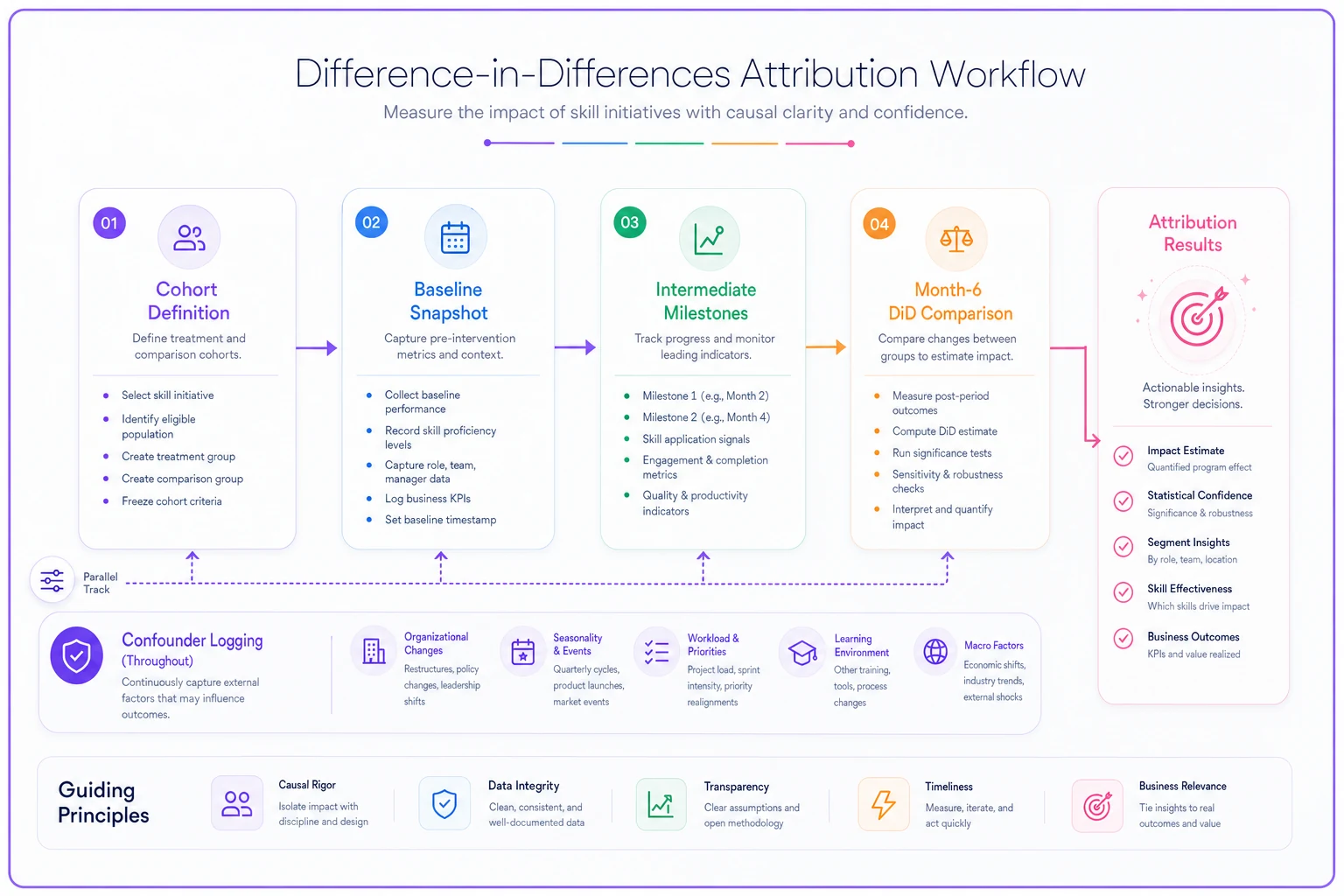
The DiD estimate is: (trained withingroupchange) − (control withingroupchange). If the trained group's resolution time dropped by 2.1 hours and the control group's dropped by 0.4 hours over the same window, the training-attributable effect is around 1.7 hours per ticket — not the full 2.1 the vendor would happily claim.
Don't report this as a single number with four decimal places. Report the trained change, the control change, the difference, and your sample size. For the statistical-significance side — whether 1.7 hours is a real effect or noise — the CFO-ready ROI framing pairs well with this when you take it to finance.
Step 6: Executive-ready artifacts that survive scrutiny
The readout that gets a vendor renewed or killed needs to anticipate the skeptical CFO question: "How do you know it was the training?" Your artifacts should answer that before it's asked.
A credible one-page executive summary contains:
-
The two numbers side by side — trained change vs. control change — not a single headline figure.
-
The confounder log — the list of things that changed during the window and which you controlled for. This is what makes the result defensible.
-
The attrition note — how many people dropped from each group and why.
-
The durability curve — the metric at months 3, 6, and 12, so nobody mistakes a temporary bump for a permanent gain.
-
A plain-English cost line — tying the effect size to dollars, which is where the CFO-ready ROI structure does the heavy lifting.
Skip the satisfaction scores entirely, or relegate them to an appendix. An executive deciding whether to spend another $180k does not care that people enjoyed the catering.
A real scenario: mid-size insurer, claims team SQL training
A regional insurer bought a four-week vendor data course for roughly 22 analysts on their claims team — around $140k all-in. Procurement had been burned before on a "4.5/5 satisfaction, renewed, saw nothing" cycle, so this time they staggered it: 11 analysts trained in Q1, 11 held as control until Q3.
They baselined on "analyses completed without escalating to the central BI team" — a metric that sat right against the business and that the vendor had no access to. Pre-training, both groups were running about 6–8 self-served analyses a month and escalating the rest.
At week 6, the application signal held — the trained group was writing their own joins instead of filing tickets. By month 6, the trained group had climbed to roughly 12–14 self-served analyses monthly. The control group had crept up to around 8–9 on their own, partly from a new self-service dashboard that rolled out mid-study. That dashboard was in the confounder log, which is exactly why the DiD mattered: the raw trained number looked like a near-doubling, but once you subtracted the control's drift, the training-attributable gain was closer to 4–5 extra analyses per analyst per month.
That smaller, honest number was still enough to justify training wave two — and it held at month 12, which the satisfaction survey never could have told them.
When this is worth the effort — and when it isn't
Do this when: the vendor engagement is expensive (five figures and up), repeatable (you'll decide whether to renew or scale it), and tied to an outcome you can actually measure in a system. The staggered-rollout version especially pays off when you're piloting a vendor you might eventually roll out org-wide.
Skip the full template when: it's a one-off lunch-and-learn, the cohort is under roughly 10 people (your comparison group will be too small to say anything meaningful), or the outcome is genuinely unmeasurable in your current data. In those cases, honest qualitative feedback beats a fake precision number.
Who should not run this: anyone who's already committed to renewing the vendor regardless of result. If the decision is made, don't spend three months building evidence nobody will read. The whole point is a measurement that can actually change the decision.
Most vendor evaluations get the math right and the sequence wrong. The cohort and the baseline have to be set before the vendor shows up — because once the training is delivered, your clean comparison is already gone. Get those two decisions into the statement of work, and the queries above do the rest.
Ready to elevate your team's skills?
Join 500+ companies using Talioly to boost skill visibility, streamline training, and drive performance growth.